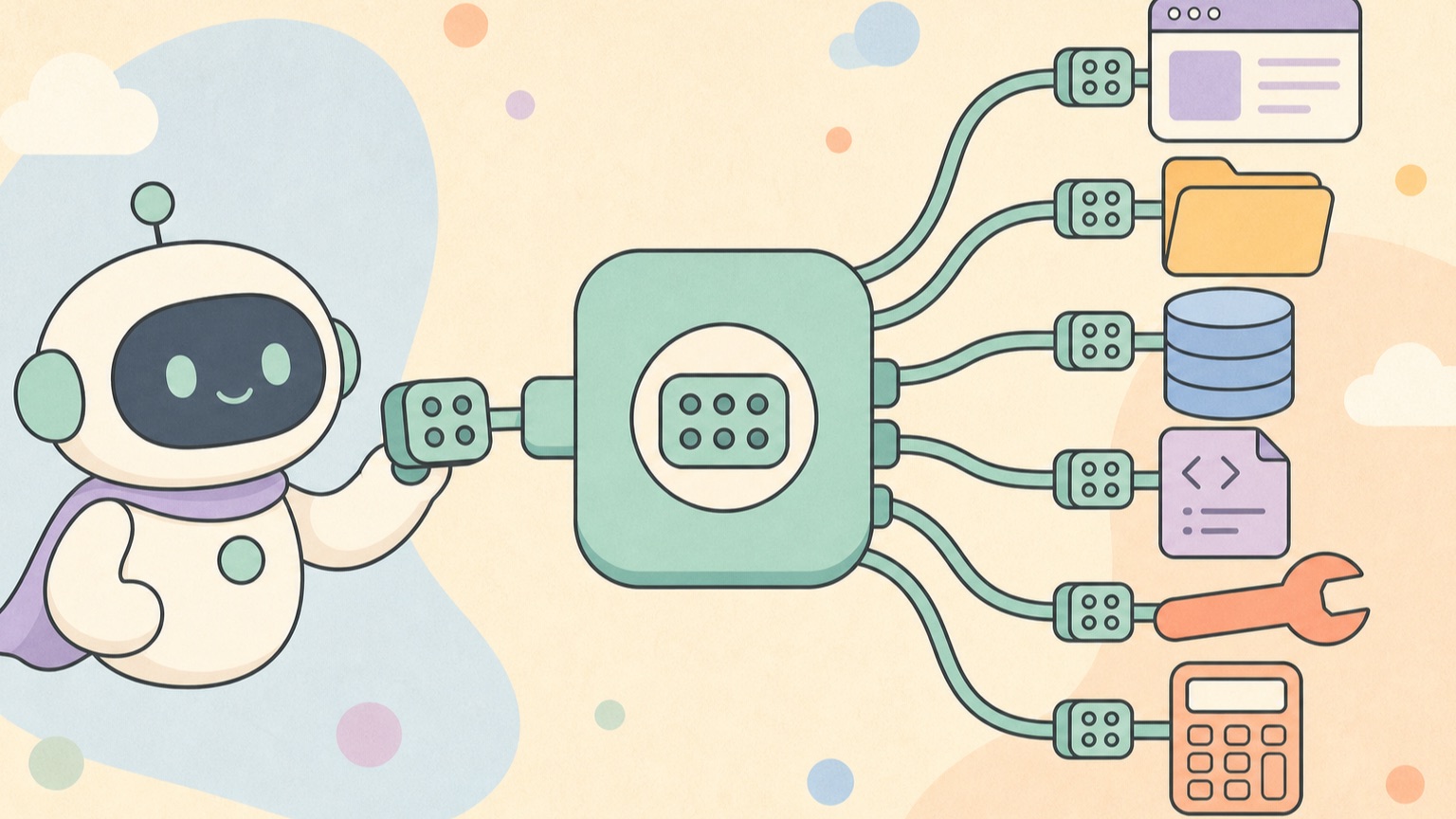
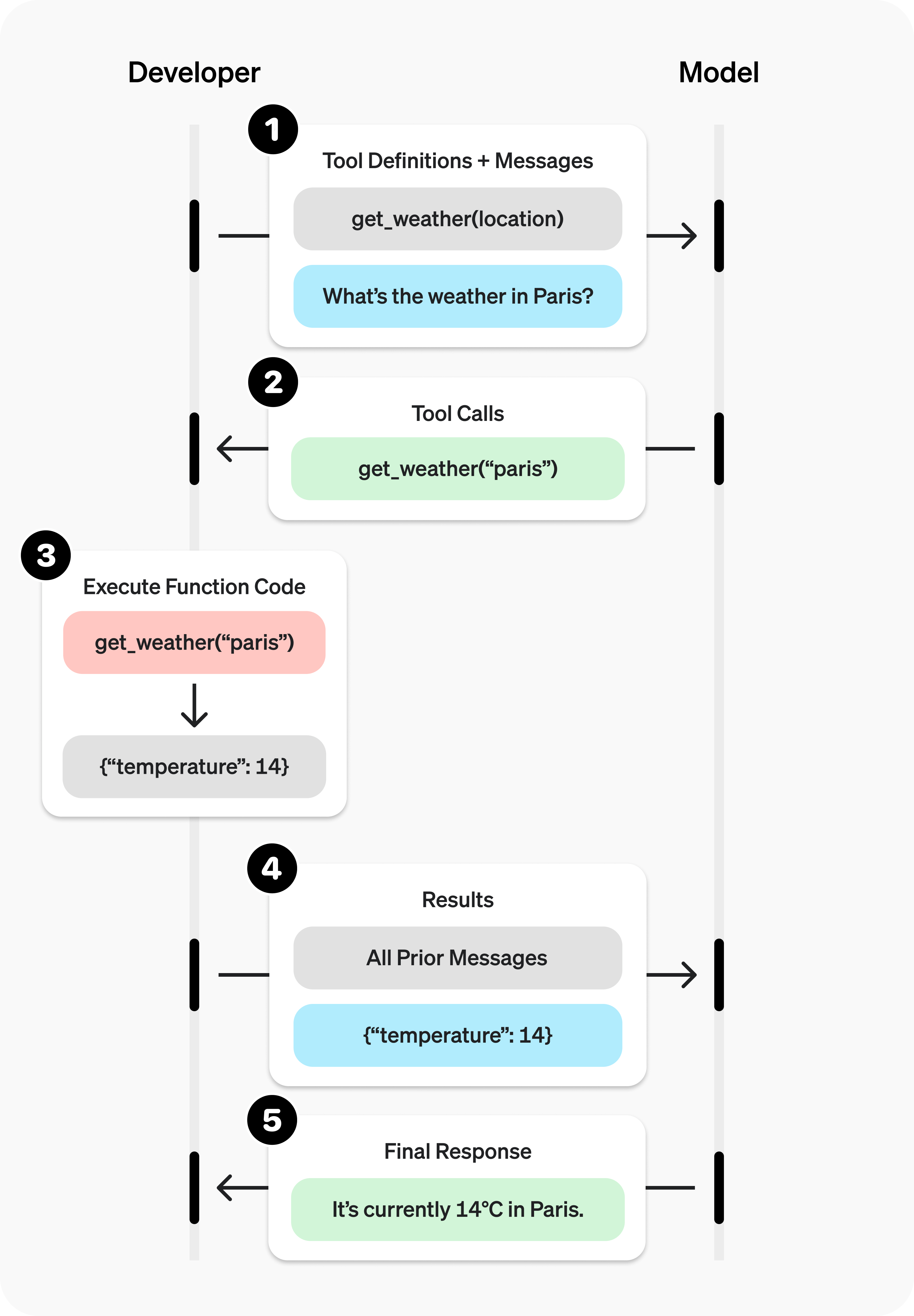
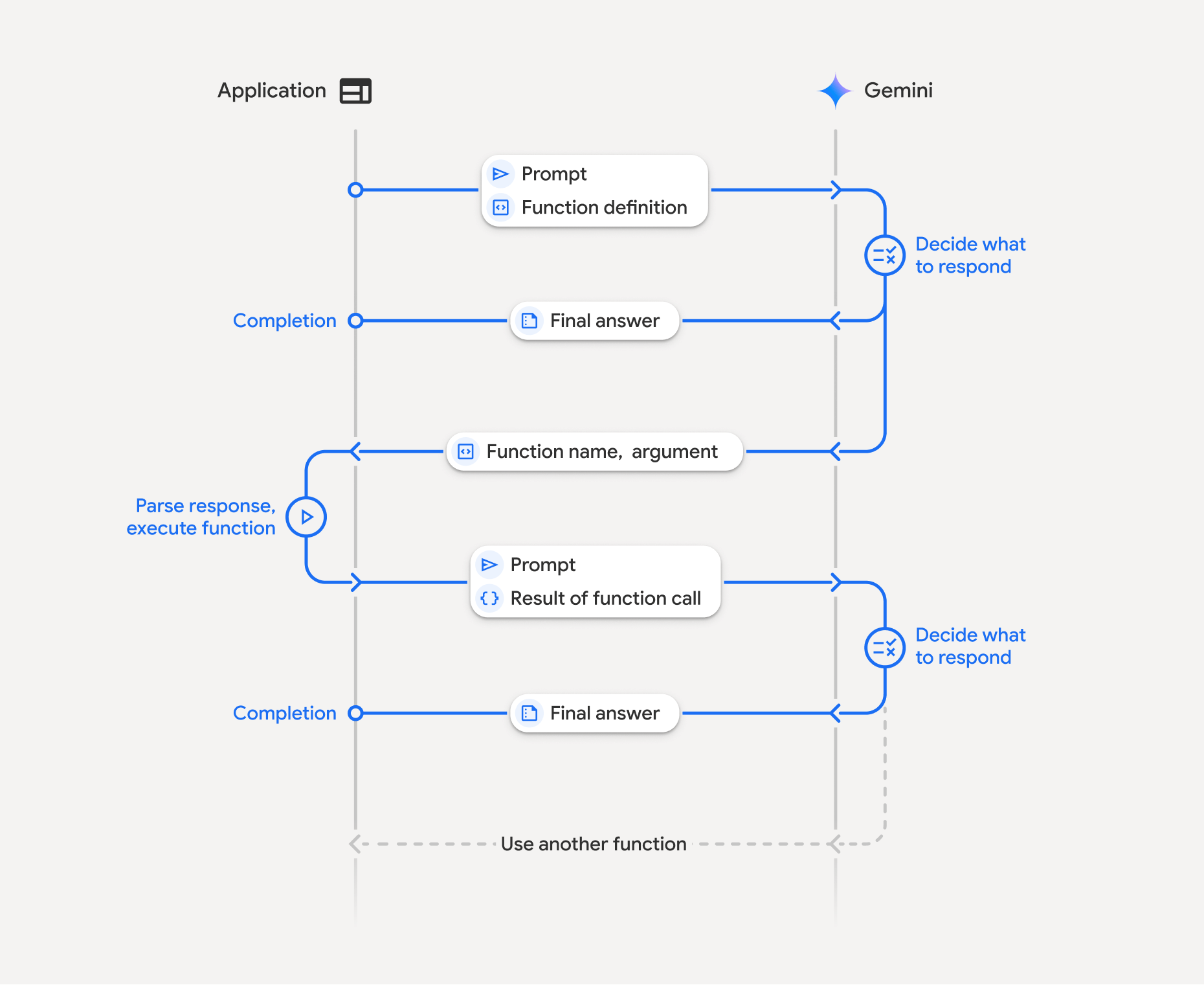
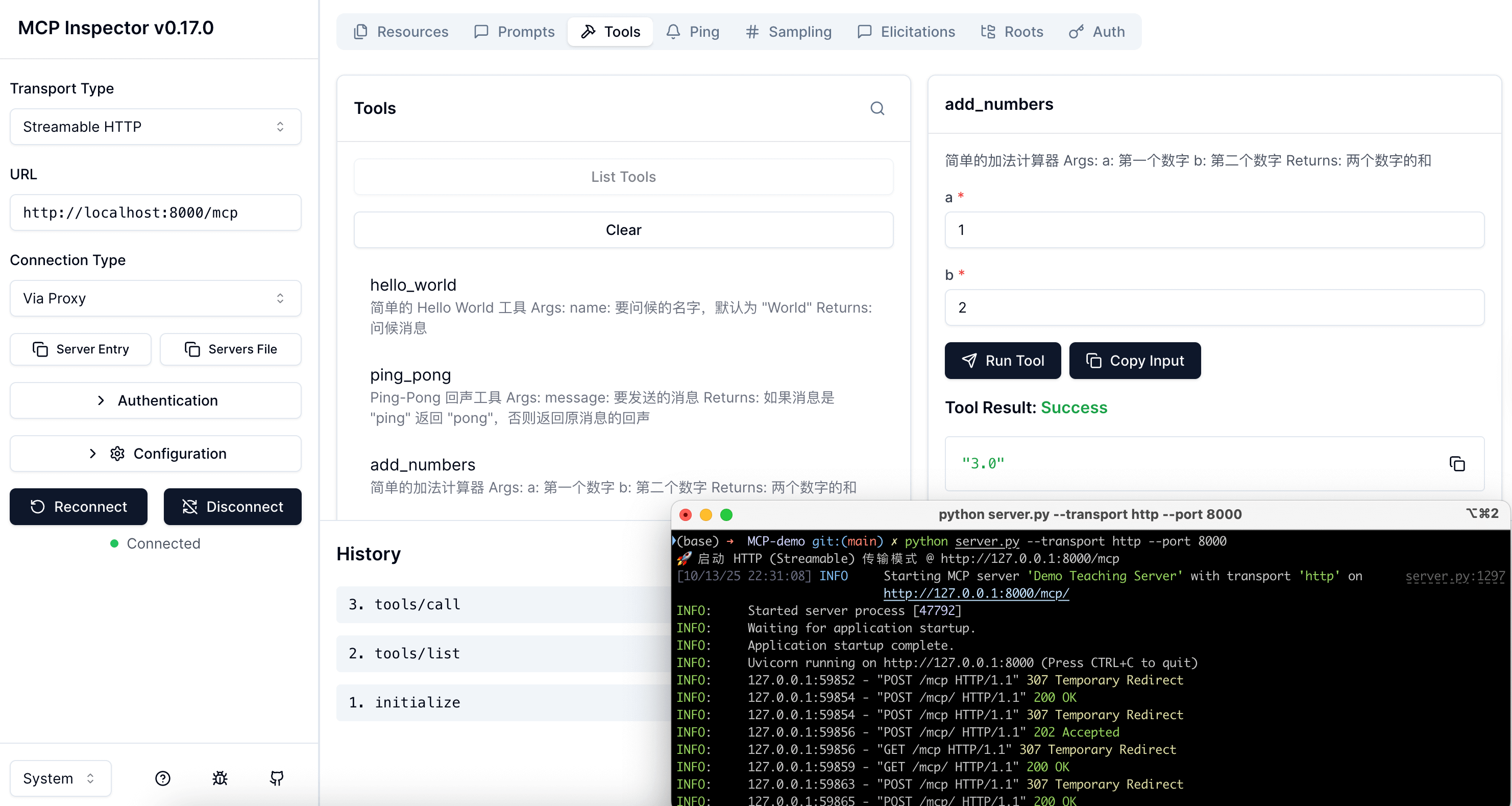
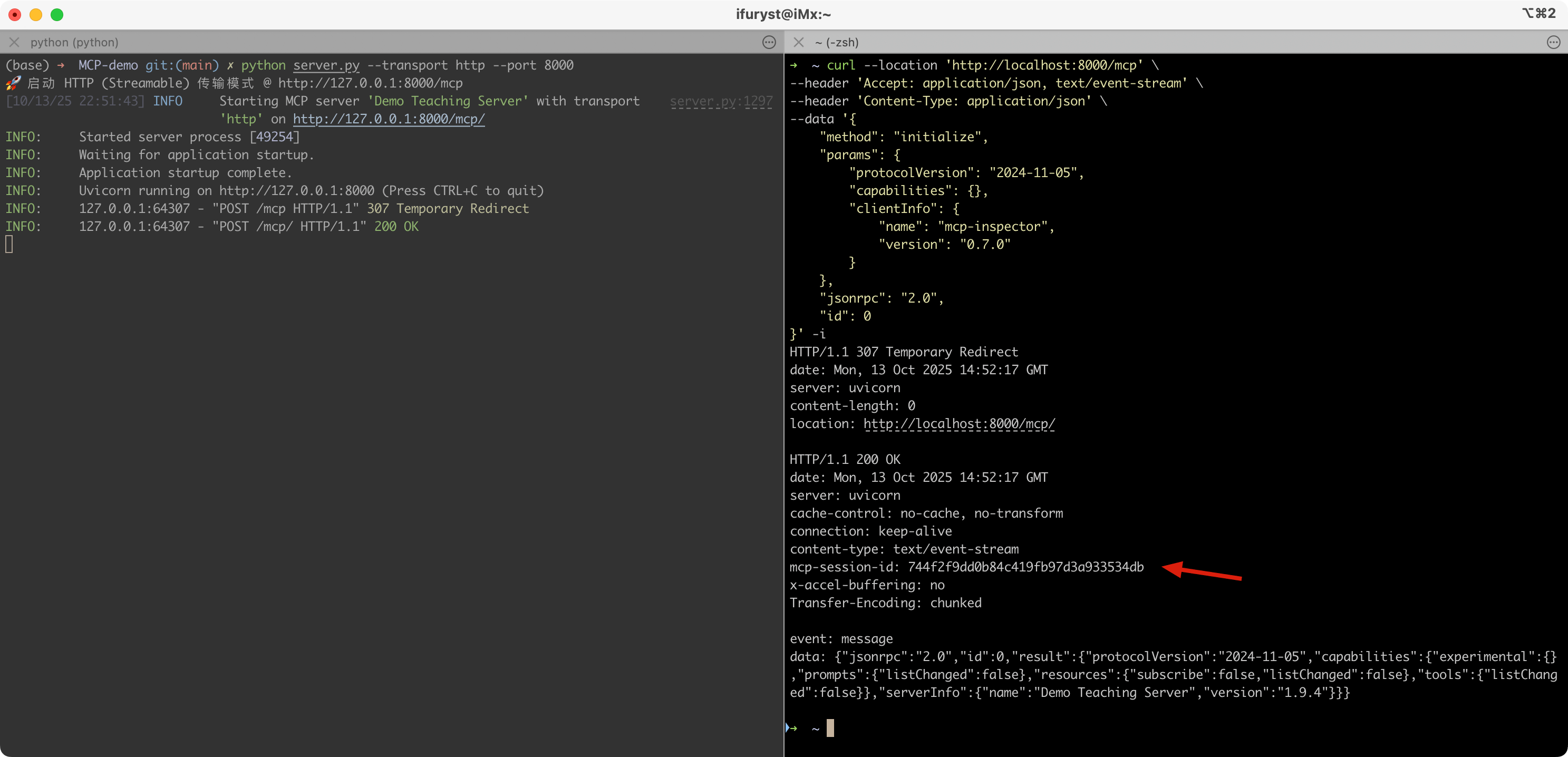
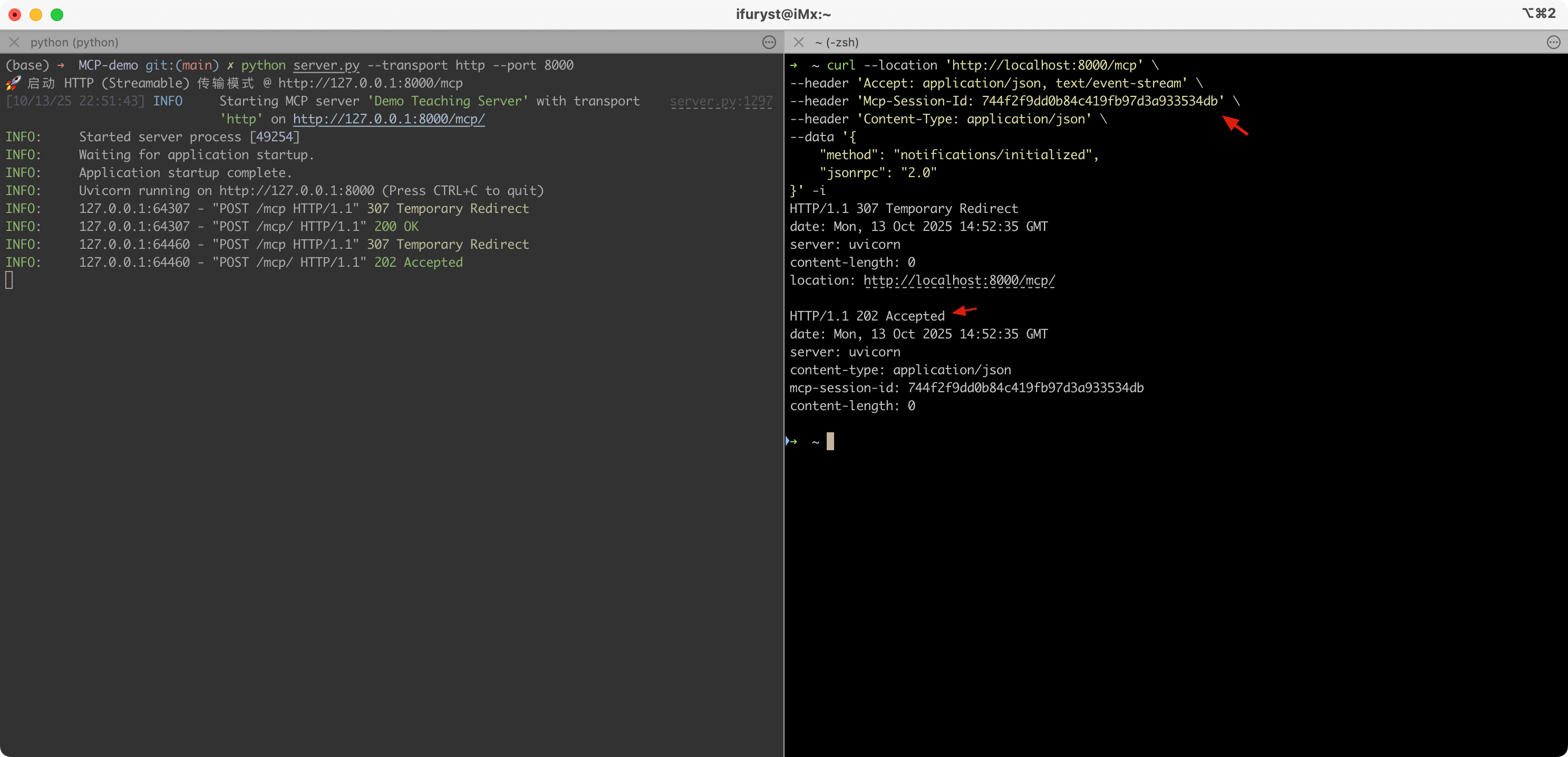
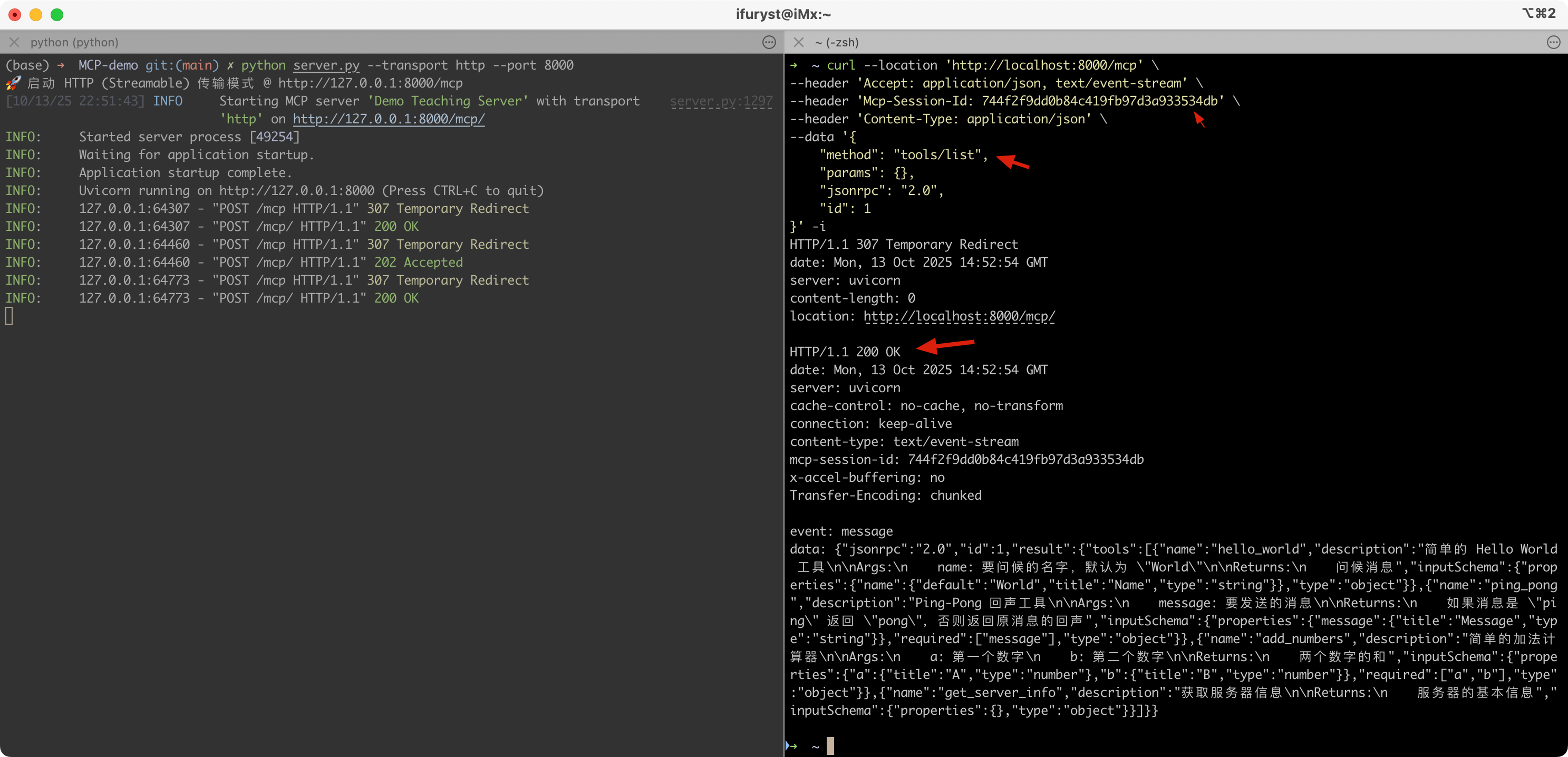
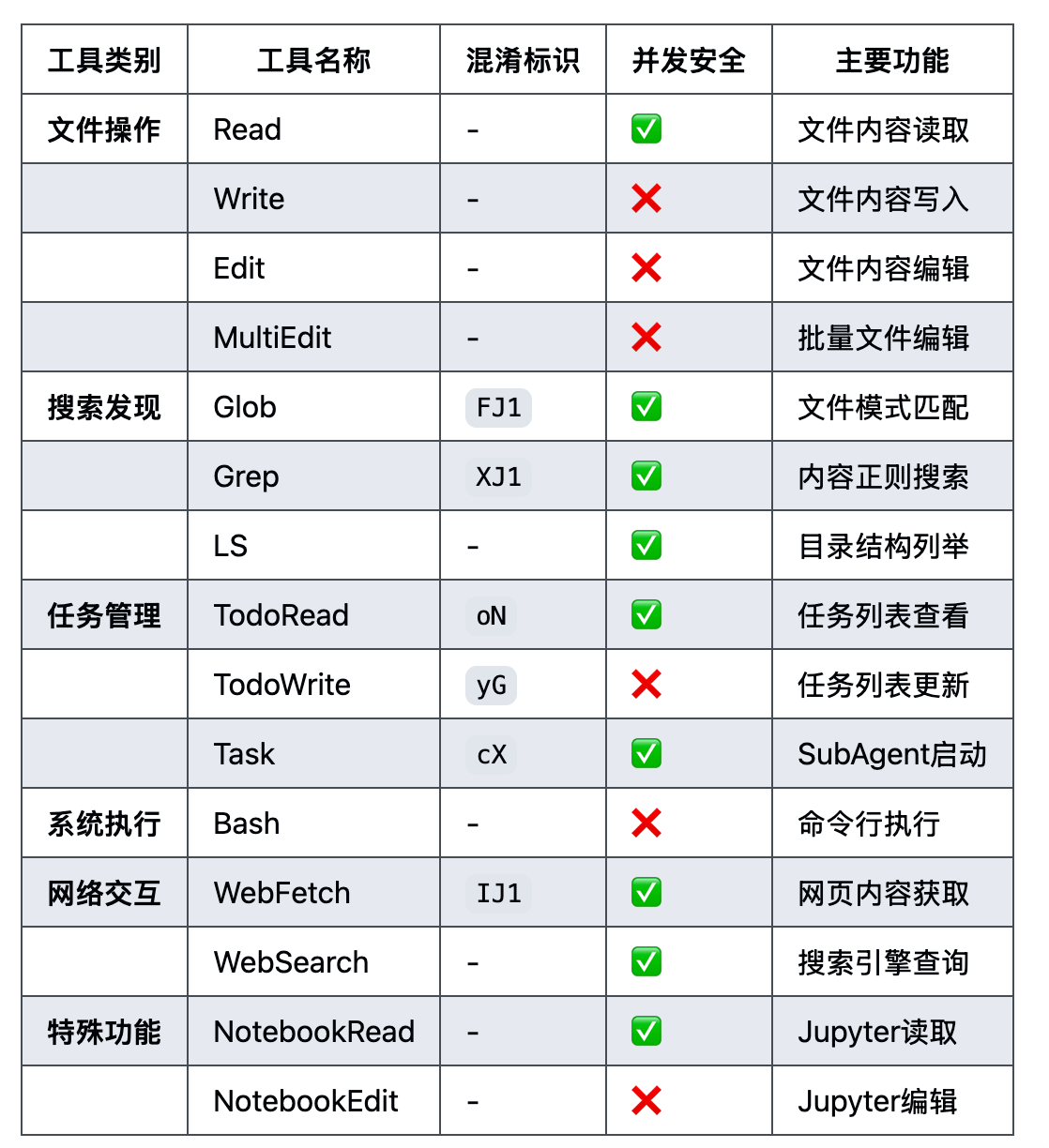
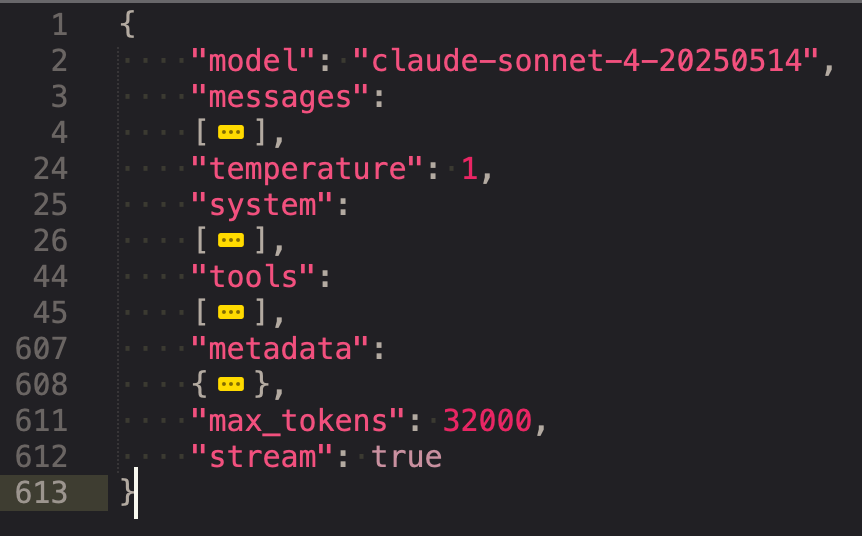
最开始调用大模型时,是可以通过传入厂商预定义的结构化数据(JSON Schema),来告诉大模型一些预定义的工具可以使用,这个结构根据厂商的不同而不同,这个阶段大家一般称呼为函数调用(Function Calling)。最早可追溯到 OpenAI 的这篇 Function calling and other API updates,Anthropic 也在 2024 年 5 月宣布 Claude 支持 Tool Use(aka function calling)。
{ "name":"Bash", "description":"Executes a given bash command in a persistent shell session with optional timeout, ensuring proper handling and security measures.\n\nBefore executing the command, please follow these steps:\n\n1. Directory Verification:\n - If the command will create new directories or files, first use the LS tool to verify the parent directory exists and is the correct location\n - For example, before running \"mkdir foo/bar\", first use LS to check that \"foo\" exists and is the intended parent directory\n\n2. Command Execution:\n - Always quote file paths that contain spaces with double quotes (e.g., cd \"path with spaces/file.txt\")\n - Examples of proper quoting:\n - cd \"/Users/name/My Documents\" (correct)\n - cd /Users/name/My Documents (incorrect - will fail)\n - python \"/path/with spaces/script.py\" (correct)\n - python /path/with spaces/script.py (incorrect - will fail)\n - After ensuring proper quoting, execute the command.\n - Capture the output of the command.\n\nUsage notes:\n - The command argument is required.\n - You can specify an optional timeout in milliseconds (up to 600000ms / 10 minutes). If not specified, commands will timeout after 120000ms (2 minutes).\n - It is very helpful if you write a clear, concise description of what this command does in 5-10 words.\n - If the output exceeds 30000 characters, output will be truncated before being returned to you.\n - VERY IMPORTANT: You MUST avoid using search commands like `find` and `grep`. Instead use Grep, Glob, or Task to search. You MUST avoid read tools like `cat`, `head`, `tail`, and `ls`, and use Read and LS to read files.\n - If you _still_ need to run `grep`, STOP. ALWAYS USE ripgrep at `rg` first, which all ${PRODUCT_NAME} users have pre-installed.\n - When issuing multiple commands, use the ';' or '&&' operator to separate them. DO NOT use newlines (newlines are ok in quoted strings).\n - Try to maintain your current working directory throughout the session by using absolute paths and avoiding usage of `cd`. You may use `cd` if the User explicitly requests it.\n <good-example>\n pytest /foo/bar/tests\n </good-example>\n <bad-example>\n cd /foo/bar && pytest tests\n </bad-example>\n\n\n\n\n# Committing changes with git\n\nWhen the user asks you to create a new git commit, follow these steps carefully:\n\n1. You have the capability to call multiple tools in a single response. When multiple independent pieces of information are requested, batch your tool calls together for optimal performance. ALWAYS run the following bash commands in parallel, each using the Bash tool:\n - Run a git status command to see all untracked files.\n - Run a git diff command to see both staged and unstaged changes that will be committed.\n - Run a git log command to see recent commit messages, so that you can follow this repository's commit message style.\n2. Analyze all staged changes (both previously staged and newly added) and draft a commit message:\n - Summarize the nature of the changes (eg. new feature, enhancement to an existing feature, bug fix, refactoring, test, docs, etc.). Ensure the message accurately reflects the changes and their purpose (i.e. \"add\" means a wholly new feature, \"update\" means an enhancement to an existing feature, \"fix\" means a bug fix, etc.).\n - Check for any sensitive information that shouldn't be committed\n - Draft a concise (1-2 sentences) commit message that focuses on the \"why\" rather than the \"what\"\n - Ensure it accurately reflects the changes and their purpose\n3. You have the capability to call multiple tools in a single response. When multiple independent pieces of information are requested, batch your tool calls together for optimal performance. ALWAYS run the following commands in parallel:\n - Add relevant untracked files to the staging area.\n - Create the commit with a message ending with:\n 🤖 Generated with [Claude Code](https://claude.ai/code)\n\n Co-Authored-By: Claude <noreply@anthropic.com>\n - Run git status to make sure the commit succeeded.\n4. If the commit fails due to pre-commit hook changes, retry the commit ONCE to include these automated changes. If it fails again, it usually means a pre-commit hook is preventing the commit. If the commit succeeds but you notice that files were modified by the pre-commit hook, you MUST amend your commit to include them.\n\nImportant notes:\n- NEVER update the git config\n- NEVER run additional commands to read or explore code, besides git bash commands\n- NEVER use the TodoWrite or Task tools\n- DO NOT push to the remote repository unless the user explicitly asks you to do so\n- IMPORTANT: Never use git commands with the -i flag (like git rebase -i or git add -i) since they require interactive input which is not supported.\n- If there are no changes to commit (i.e., no untracked files and no modifications), do not create an empty commit\n- In order to ensure good formatting, ALWAYS pass the commit message via a HEREDOC, a la this example:\n<example>\ngit commit -m \"$(cat <<'EOF'\n Commit message here.\n\n 🤖 Generated with [Claude Code](https://claude.ai/code)\n\n Co-Authored-By: Claude <noreply@anthropic.com>\n EOF\n )\"\n</example>\n\n# Creating pull requests\nUse the gh command via the Bash tool for ALL GitHub-related tasks including working with issues, pull requests, checks, and releases. If given a Github URL use the gh command to get the information needed.\n\nIMPORTANT: When the user asks you to create a pull request, follow these steps carefully:\n\n1. You have the capability to call multiple tools in a single response. When multiple independent pieces of information are requested, batch your tool calls together for optimal performance. ALWAYS run the following bash commands in parallel using the Bash tool, in order to understand the current state of the branch since it diverged from the main branch:\n - Run a git status command to see all untracked files\n - Run a git diff command to see both staged and unstaged changes that will be committed\n - Check if the current branch tracks a remote branch and is up to date with the remote, so you know if you need to push to the remote\n - Run a git log command and `git diff [base-branch]...HEAD` to understand the full commit history for the current branch (from the time it diverged from the base branch)\n2. Analyze all changes that will be included in the pull request, making sure to look at all relevant commits (NOT just the latest commit, but ALL commits that will be included in the pull request!!!), and draft a pull request summary\n3. You have the capability to call multiple tools in a single response. When multiple independent pieces of information are requested, batch your tool calls together for optimal performance. ALWAYS run the following commands in parallel:\n - Create new branch if needed\n - Push to remote with -u flag if needed\n - Create PR using gh pr create with the format below. Use a HEREDOC to pass the body to ensure correct formatting.\n<example>\ngh pr create --title \"the pr title\" --body \"$(cat <<'EOF'\n## Summary\n<1-3 bullet points>\n\n## Test plan\n[Checklist of TODOs for testing the pull request...]\n\n🤖 Generated with [Claude Code](https://claude.ai/code)\nEOF\n)\"\n</example>\n\nImportant:\n- NEVER update the git config\n- DO NOT use the TodoWrite or Task tools\n- Return the PR URL when you're done, so the user can see it\n\n# Other common operations\n- View comments on a Github PR: gh api repos/foo/bar/pulls/123/comments", "input_schema": { "type":"object", "properties": { "command": { "type":"string", "description":"The command to execute" }, "timeout": { "type":"number", "description":"Optional timeout in milliseconds (max 600000)" }, "description": { "type":"string", "description":" Clear, concise description of what this command does in 5-10 words. Examples:\nInput: ls\nOutput: Lists files in current directory\n\nInput: git status\nOutput: Shows working tree status\n\nInput: npm install\nOutput: Installs package dependencies\n\nInput: mkdir foo\nOutput: Creates directory 'foo'" } }, "required": [ "command" ], "additionalProperties":false, "$schema":"http://json-schema.org/draft-07/schema#" } }
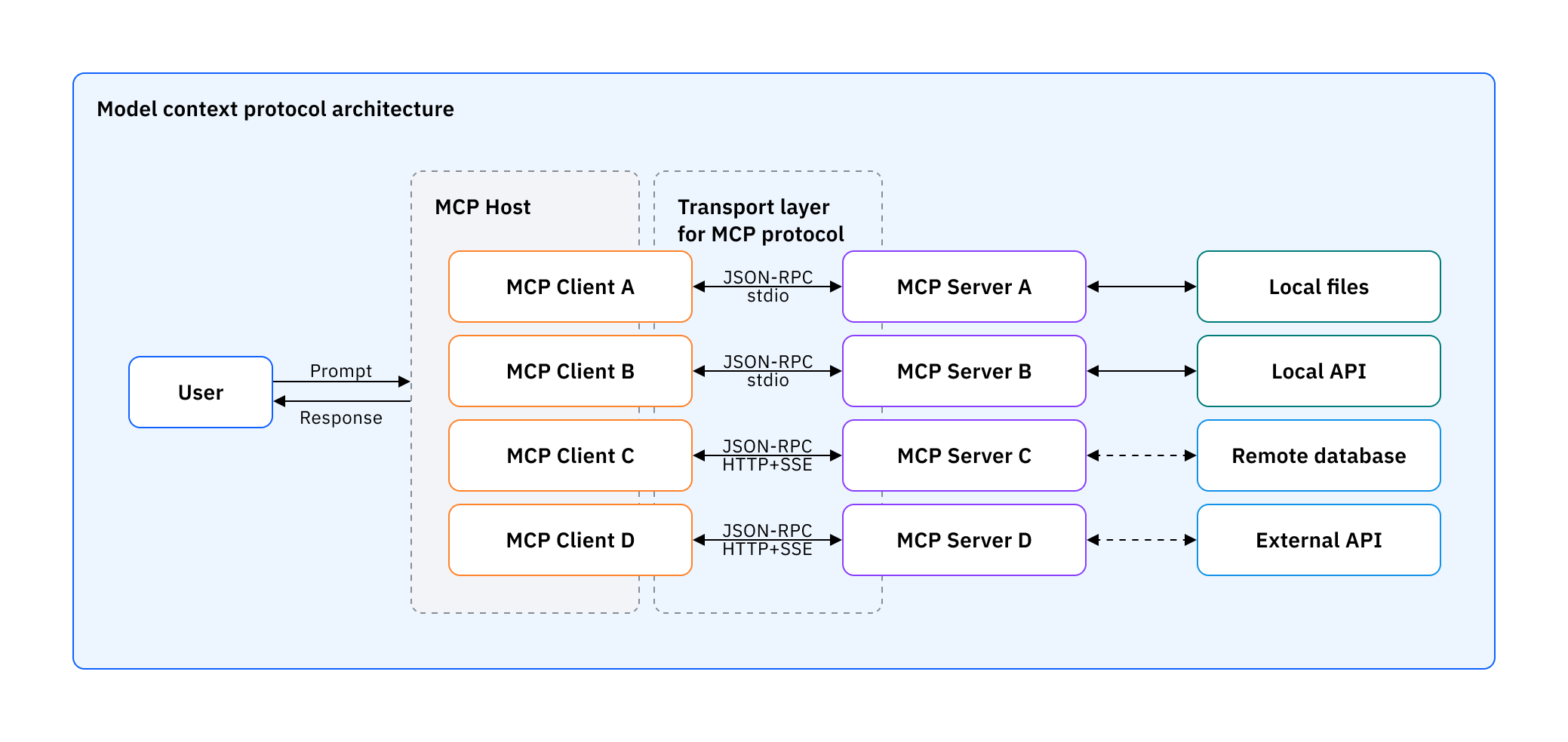
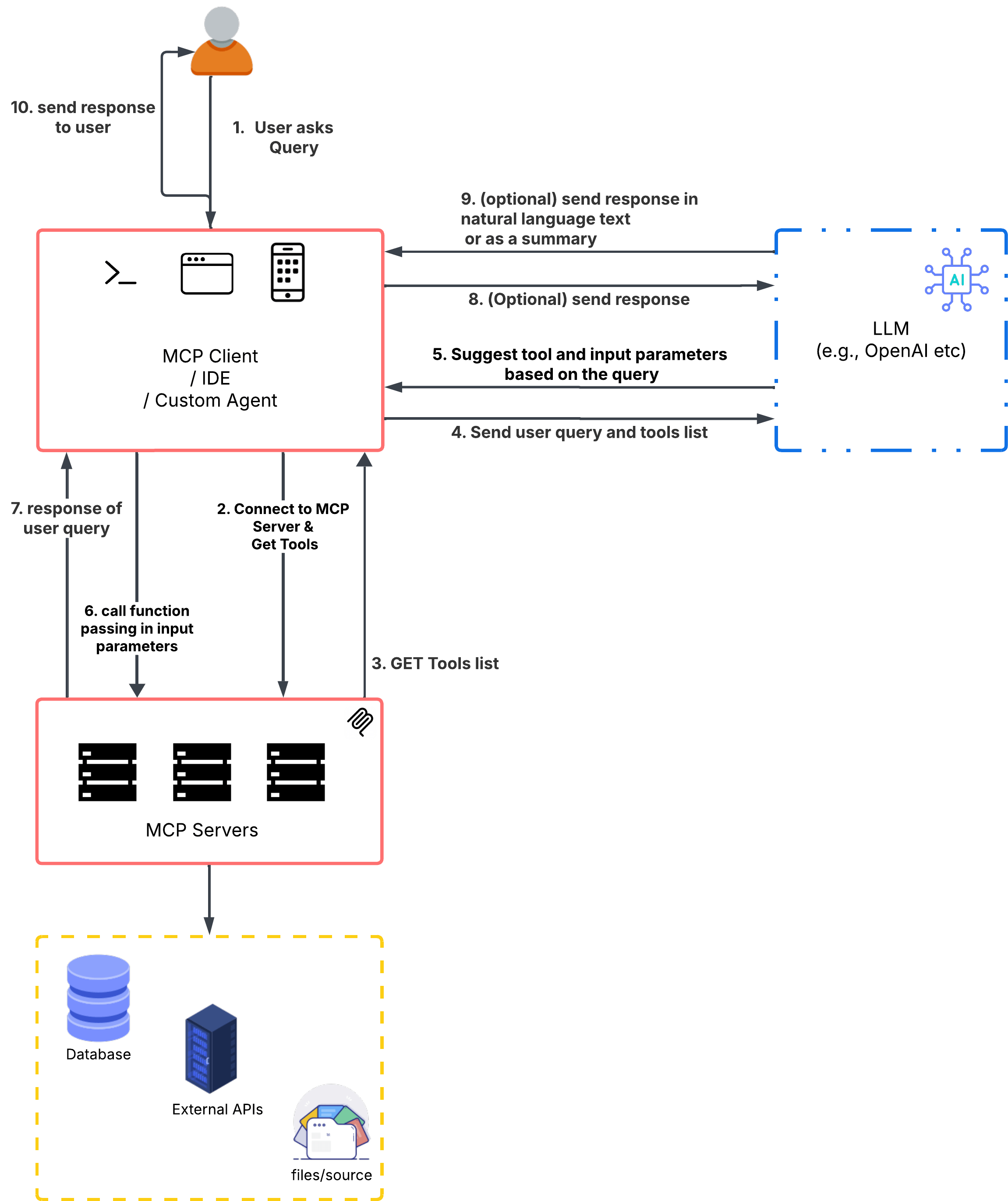
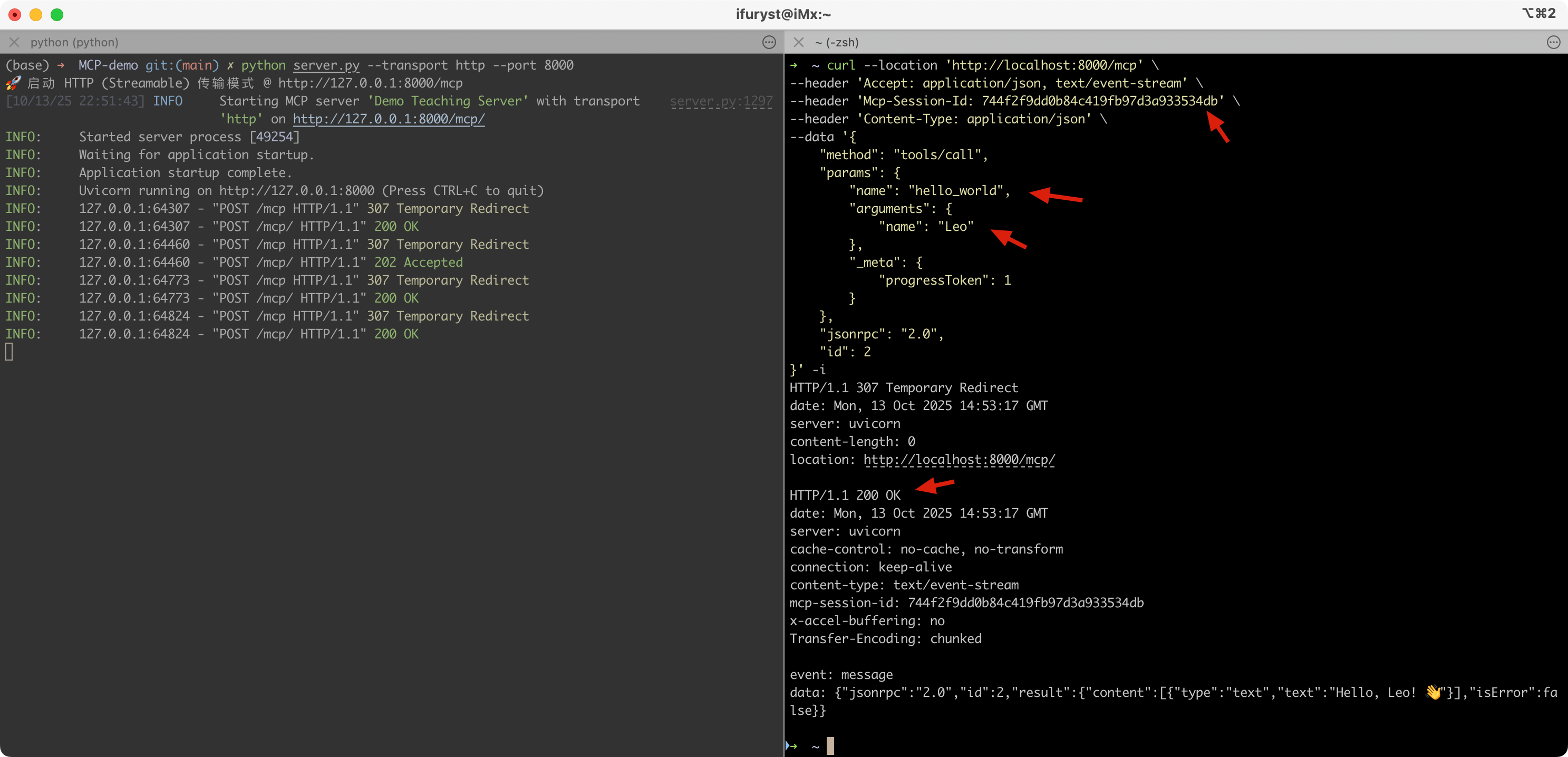
MCP 是 Anthropic 推行的标准,自然快速在自家产品采用了,我们可以看到,在 AI Agent 中需要有一个 MCP Client 的模块,这样才可以完成前面提到的流程,去获取对应的工具列表给拼接到上下文中给到大模型,最后从大模型返回的上下文拿到需要执行的工具,再调用 MCP Server 进行执行。
现在很多 AI Agent 集成了 MCP 调用的能力,可以通过配置的方式进行调用,比如 CC 的下可以用 .mcp.json: